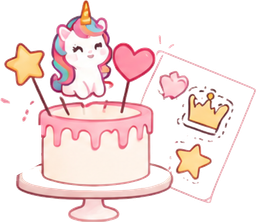


The same figures as in the photo
A figure is cut out of your photo, not redrawn from its name: a character stays exactly as it is on the cake. The original photo is never changed — every action is saved as a new version, and any of them can be undone.
Tools for an exact result
- “Remove background” — automatic, with thin details.
- “Magic wand” — removes areas of a similar colour with one click.
- “Lasso” — outline the extras and delete them or keep only the selection.
- “Eraser” — wipe small things away with a brush of any size.
- “Enhance” — increases the resolution for printing at a large size.
- “Redraw (AI)” — if the photo is very blurry, AI redraws the figure cleanly.
No cost for every action
Background removal, quality enhancement, the eraser, the lasso and the magic wand run on our server and do not use AI images, even on the free plan.
Frequently asked questions
Is removing the background free?
Yes, background removal and quality enhancement do not use AI images and are available on every plan.
What if the background isn’t removed perfectly?
Touch it up with the eraser, the lasso or the magic wand. Every edit is a new version, so the previous one can always be restored.
Can I cut several figures out of one photo?
Yes, select the figures one by one — each becomes a separate element with its own size.
Are my photos kept private?
Yes, only you see your projects and files. A customer sees a layout only through a link you create yourself, in low resolution with a watermark.